Outfittr
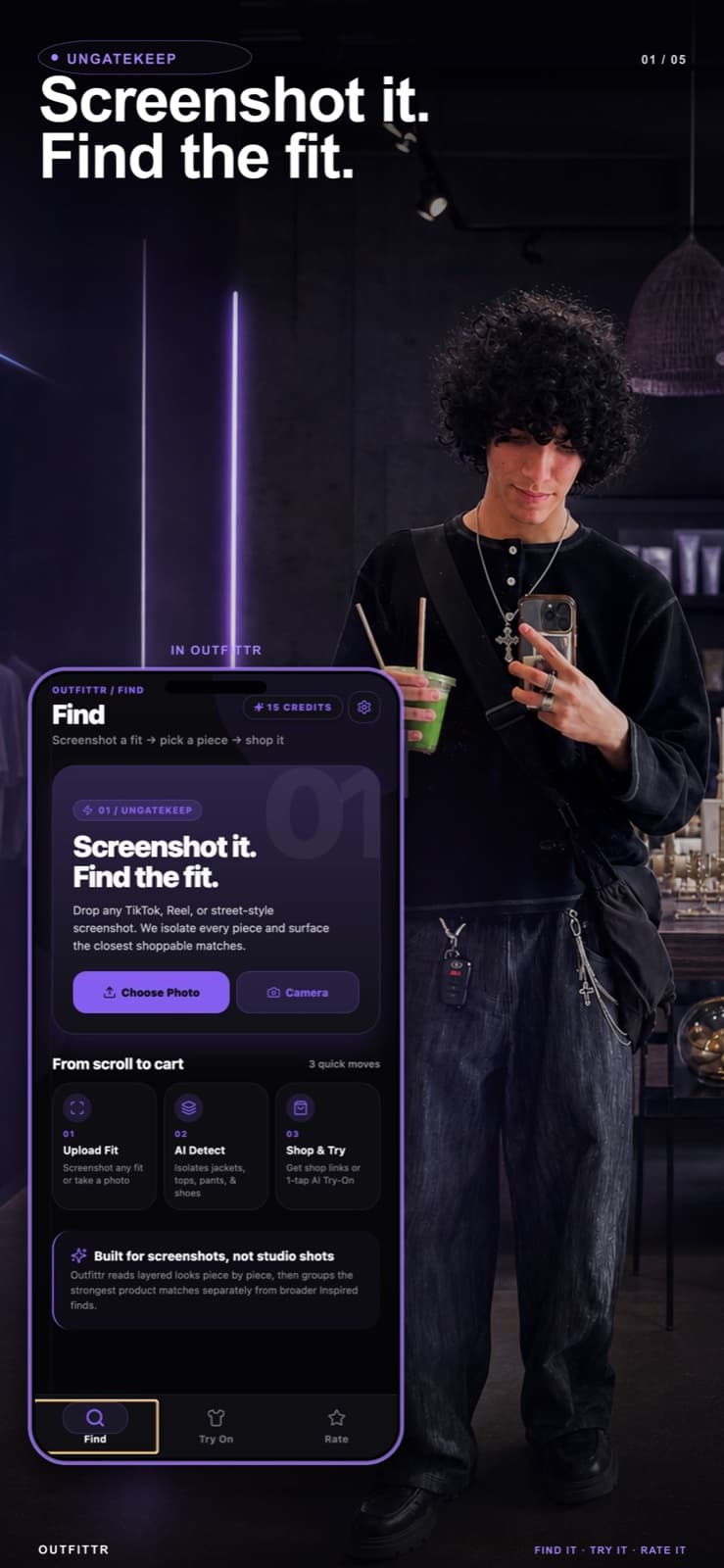
Screenshot it.Find the fit.
- Role
- Sole developer & product owner
- Timeline
- August 2025 — present
- Platform
- iOS · App Store
- Stack
- React Native, Expo, TypeScript, Supabase, Gemini, SerpAPI, RevenueCat

The problem
I’d see a fashion creator on TikTok wearing something I liked, then check the comments to find out where it came from. Too often, they wouldn’t share. I wanted a way to find the pieces without waiting for an answer.
I wanted to take a screenshot, find each garment or a close match, and try it on virtually to see how it might look on me.
What it became
The core flow is still that: upload a screenshot or photo, Outfittr detects the visible garments, you pick one, and it surfaces exact and similar matches with store links and prices. Around it grew a set of things people actually wanted to do with a fit once they had it.
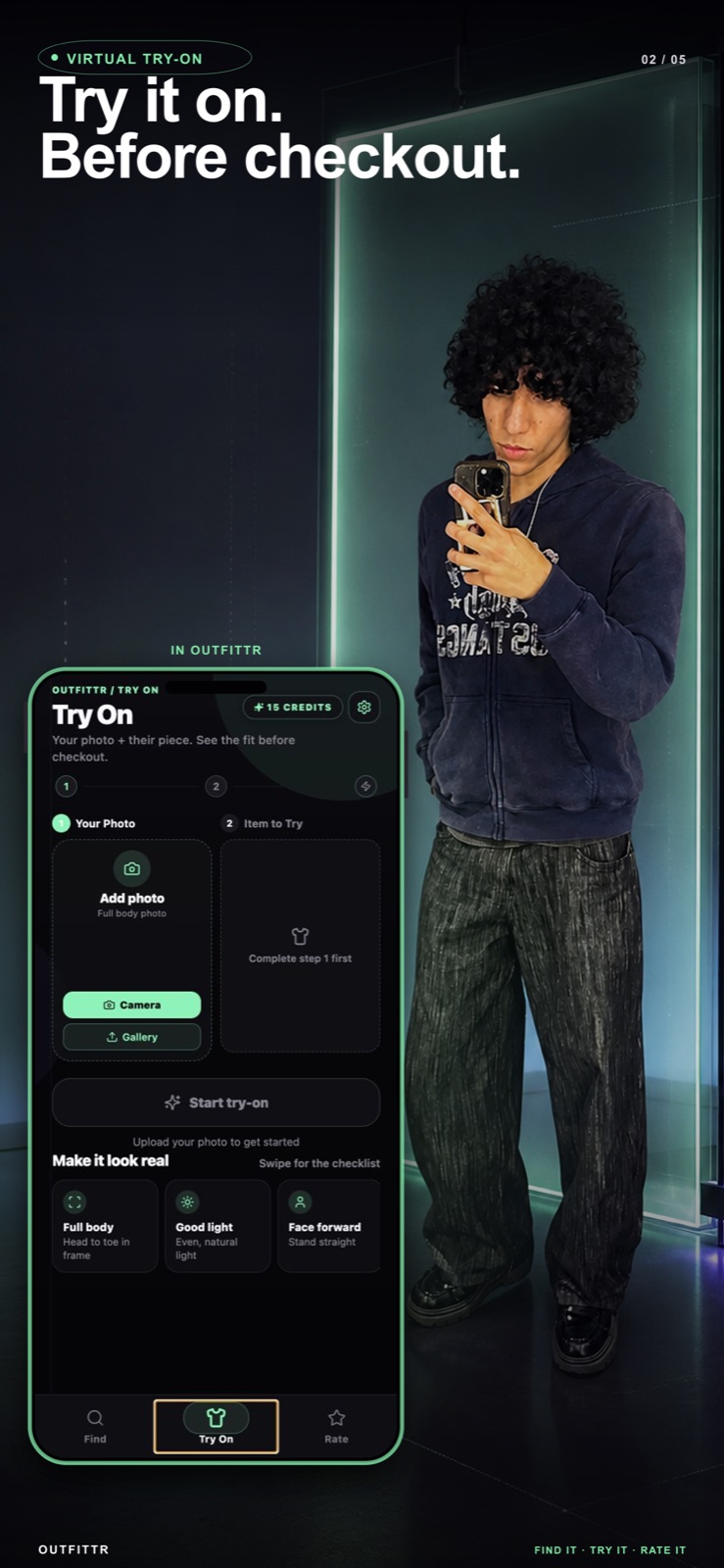
- Virtual try-on: your photo plus a garment image, with stylist notes on making it work.
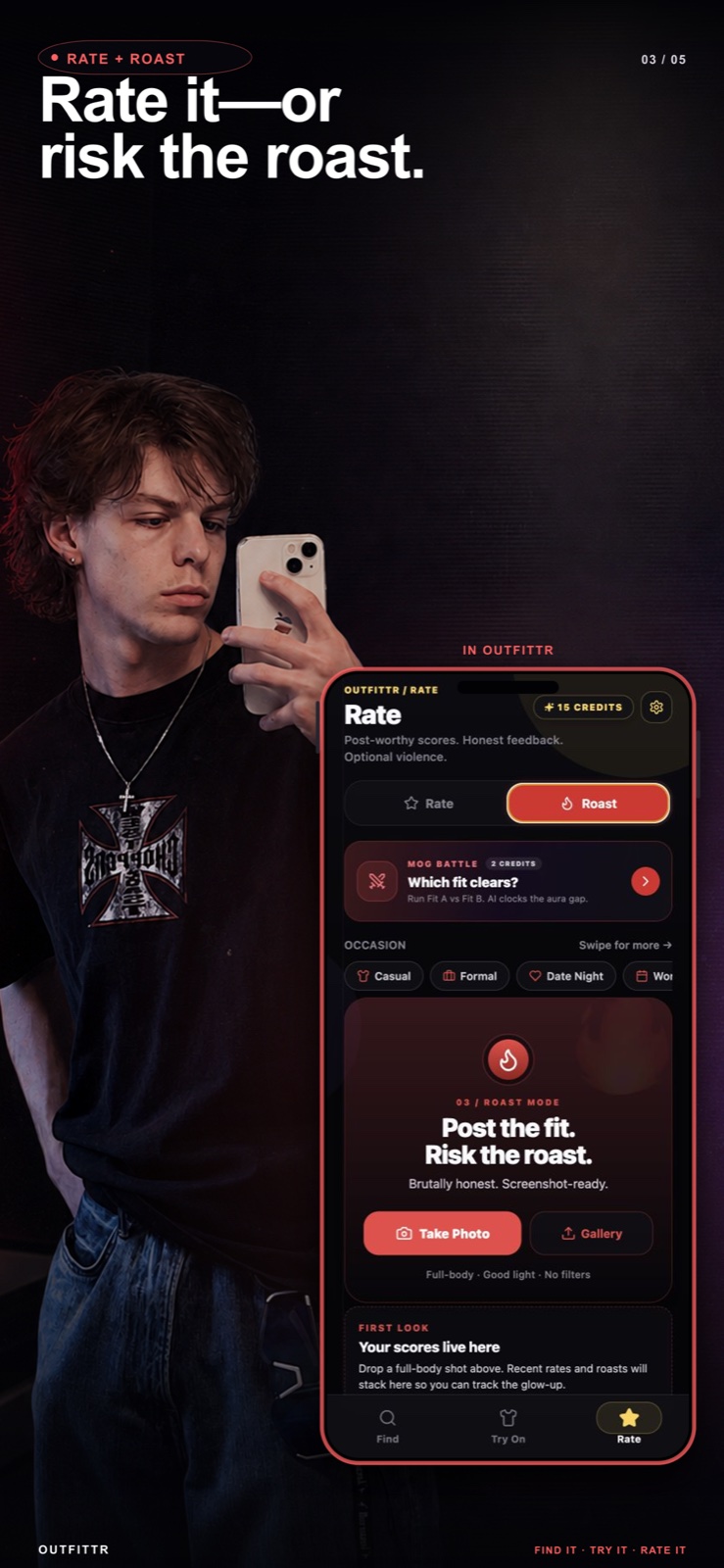
- Rate: an outfit score with a verdict, strengths and fixes. Roast mode for people who asked for it.
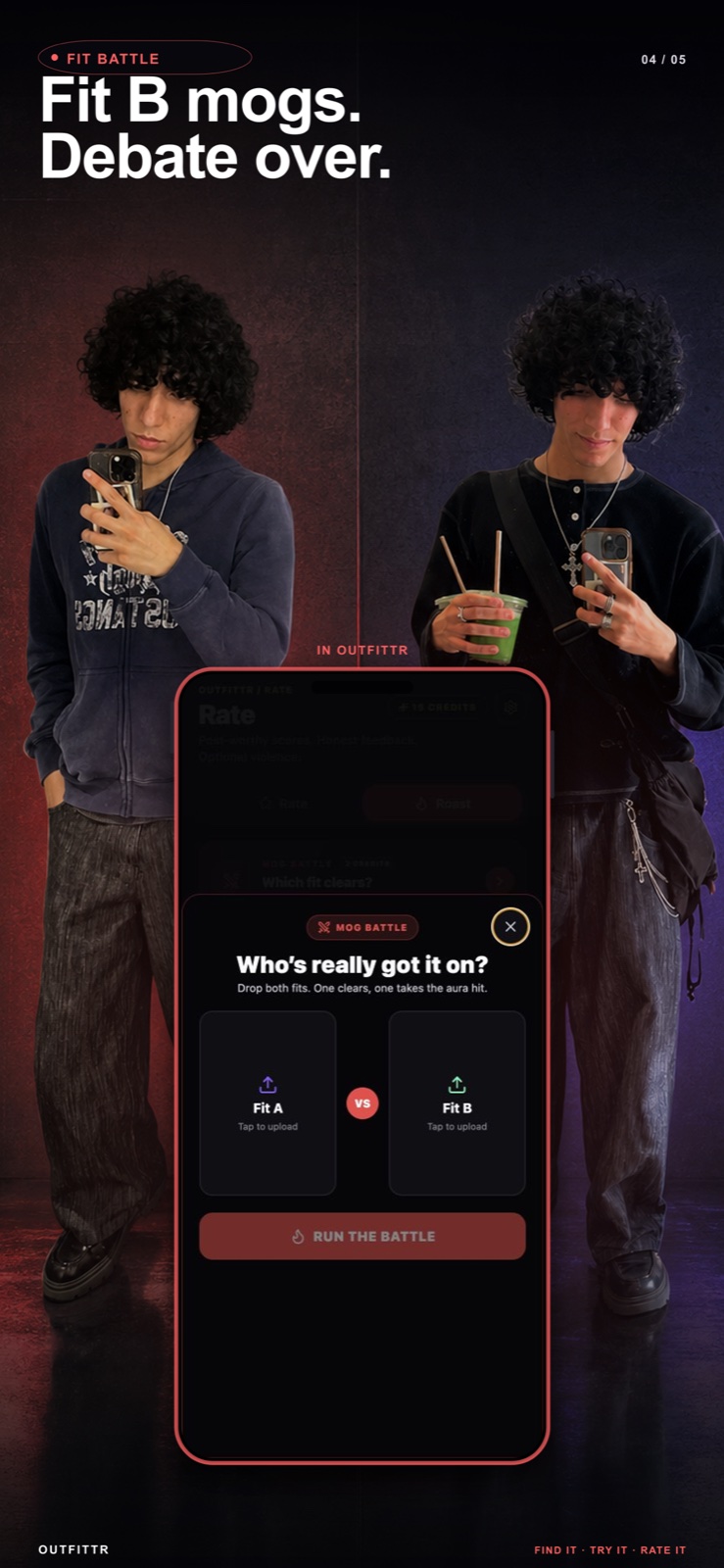
- Fit battle: two looks side by side, one winner, a full breakdown.
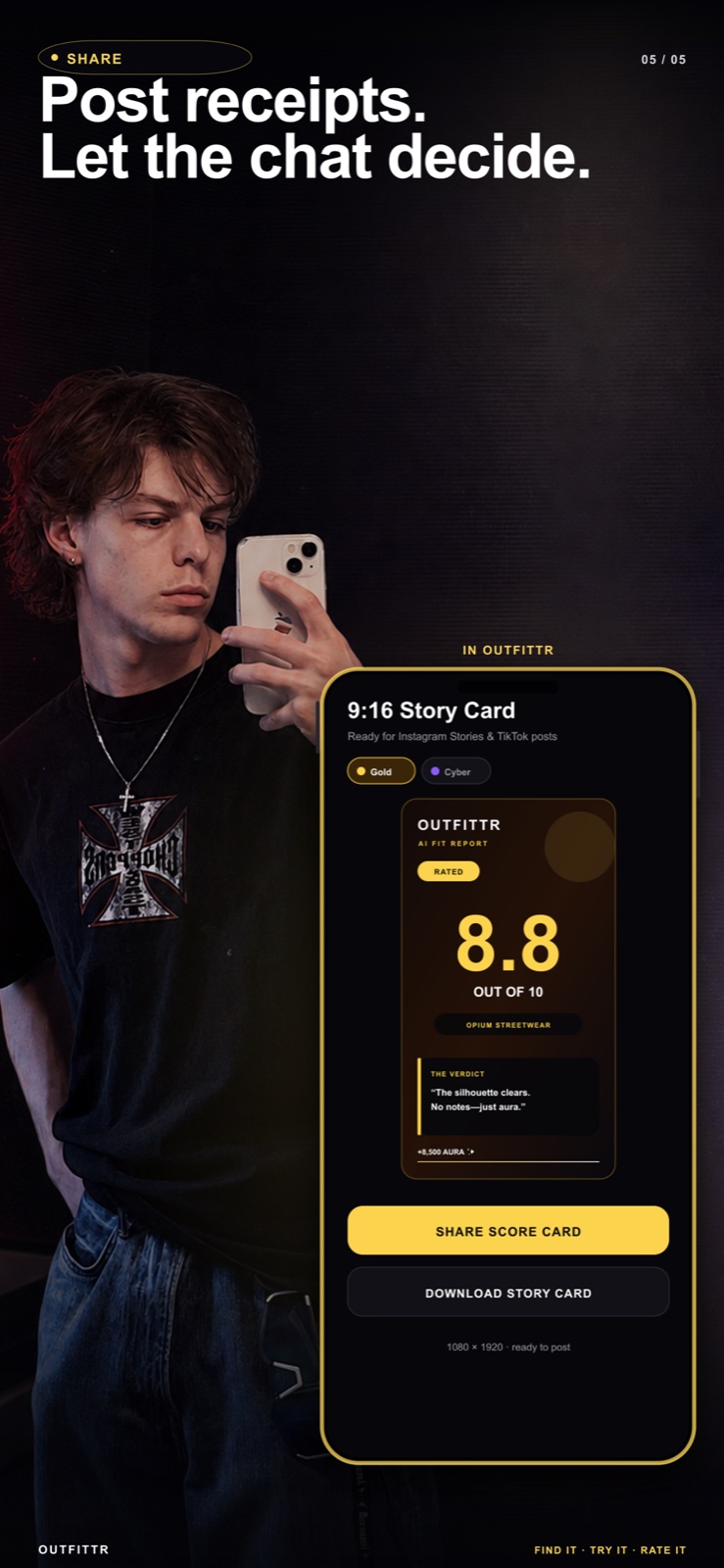
- Share: 9:16 story cards and short links that open the full result on the web, no install required.
- Pro subscription with weekly style credits.
Engineering decisions
I used AI throughout development and owned the architecture, implementation, product decisions, and release. The part I enjoyed most was connecting the full search flow: turning a photo into garment descriptions, using those to search, and bringing the results back into the app.
- Gemini identifies the garments and provides search descriptions; SerpAPI retrieves marketplace results. Keeping those responsibilities separate lets the search strategy change without replacing garment detection.
- Supabase manages credits on the server so the app’s interface cannot decide whether a paid action is allowed.
- RevenueCat over hand-rolled StoreKit for subscriptions, so I could spend the time on the product instead of receipt validation.
- Share links open on the website. Someone who sees a card in a story should be able to see the result without being asked to install anything first.
One search, end to end
- 01
Read the image
Gemini detects the visible garments. The user chooses a piece to search for.
- 02
Search the piece
Google Lens through SerpAPI returns shopping and visual matches.
- 03
Fill the gaps
The first results determine whether to add zero, one, or two Shopping queries.
- 04
Return the results
Normalize product details and remove duplicates across the result groups.
The mistake
I assumed that because the flow made sense to me, it would make sense to someone else.
I had a friend test the version that was already on the App Store. While he used it I kept explaining what to press next, where to go, what that button meant. At some point I noticed that if I had to narrate the app, the experience wasn't as intuitive as I thought.
Working alone for a year, I'd stopped noticing where a new person would get confused. I went back and rethought parts of the UX instead of assuming the implementation was fine because it worked. Now I try to watch someone use what I build before I explain anything.
Spend a request where it helps
The search pipeline starts with Google Lens through SerpAPI. It then checks whether the results include usable product links, prices, and images before deciding how many additional Shopping queries to make.
A strong first response can end the search after one request. Partial results get one additional query. Sparse results can get two. The code records the request count and strategy, then removes duplicate products across the result groups.
That is a concrete cost-control decision: spend on another search when the first response needs help. Actual savings depend on the mix of results; I have not measured an average saving across production searches.
What happens when a request fails
A metered action has a lifecycle: reserve credits, run the action, then mark usage complete. If the action throws, the error path attempts to refund the reserved usage before returning the failure.
The request ID ties that lifecycle together. It gives the system a way to account for the action beyond a loading spinner on the phone, including when a provider fails to return a result.
Where it is
Outfittr is live on the App Store. Since launch, I’ve focused on bug fixes, crash fixes, and compatibility across different iOS versions and devices.
Shipping made it real. Maintaining it means paying attention to the places where someone’s experience can still break.
Shipped after launch · Version 1.1.1
- Onboarding
- Improved reliability, including on devices using Reduce Motion.
- Photo uploads
- Fixed uploads in Mog Battle.
- Closing the photo flow
- Fixed a crash when dismissing the flow.